Gutenberg Times: WordPress 7.1 arrives at WordCamp US, Abilities API for developers, and a new theme for Gutenberg Times and more — Weekend Edition #373

Share
Hi there,
Before you read any further, another security updates needs your attention: WordPress 7.0.4 is out. Update now! 
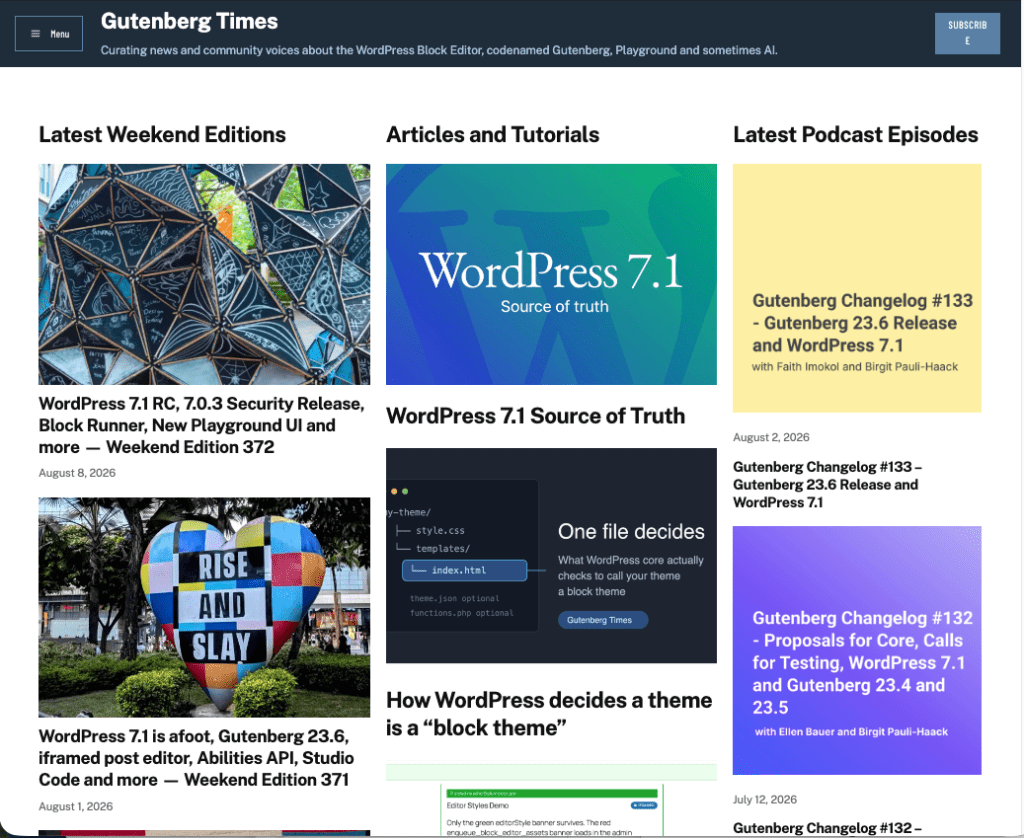
You might have noticed, that the Gutenberg Times website has a new theme. It’s built on top of the Twenty Twenty-Five default theme. I started working on it last year, but was pulled away by other priorities. Then AI Enablement weeks arrived and I started to use all kinds of different AI tools for design and WordPress. None of them were really good at block themes at first. Then Telex got me close and I used it for my Block theme workshop. As the final stack I used WordPress Studio with the new AI Agent (Beta) and Claude. Both competently used theme.json and block markup for patterns, template and template parts.

The biggest hurdle, and that’s why it took multiple trials, was that the podcast data wasn’t block-theme ready so I had to build a plugin that handles all the block bindings and assembles them into templates. The plugin is in the WordPress repository (still beta), if you are interested. During the process I used Claude and WordPress Agent skills. Between November 2025 and August 2026 the quality of Claude’s work has improved considerably and it produced much more robust code. The deployment to GitHub and WordPress repository was a breeze. Take a look at the new podcast page. All feedback is welcome!
The WCUS program team announced great keynote speakers:: Bo English-Wiczling, PayPal, Loyal Pyczynski, Disney and Meta, Amanda Ventura, Waymo and the fireside chat w/ Matt Mullenweg round up a fantastic roster of speakers and topics. If you can make it get your ticket now. And I see you on the WCUS Livestream! 
Have a great weekend!
Yours, 
Birgit
Developing Gutenberg and WordPress
WordPress 7.0.4 shipped as a security release fixing a single vulnerability: an authenticated remote code execution via malicious file upload, affecting sites running Imagick with Ghostscript, responsibly reported by the team at pwn.ai. Release lead John Blackbourn notes the fix is being backported all the way to the 4.7 branch and into the 7.1 release candidate. If your site doesn’t update automatically, head to Dashboard → Updates and click Update Now.
Release day falls on the last day of WordCamp US, and Justin Tadlock’s August roundup of what’s new for developers tells you what to test in the days that remain: responsive block styles with theme-configurable breakpoints, pseudo-states for Buttons and Navigation Links, the now-public SVG Icon API, and the always-iframed post editor. He also flags the change most likely to quietly break something — post list table row headers moved — and notes React 19 is punted again.
Joe Dolson tallies 88 accessibility enhancements and bug fixes in WordPress 7.1, 45 in core, 43 in the editor. Highlights are the new accessible tooltips API, post list tables that identify rows by title instead of checkbox, a decorative toggle for the Image block, and stronger focus indicators throughout. He’s equally candid about the known regression: the Media Library’s infinite scroll is an inaccessible pattern, and the note walks you through three ways to turn it off.
Just in time for WCUS Contributor Day, JuanMa Garrido released v1.0 of the WordPress Contributor Toolkit. Your first Core contribution no longer starts with installing Git, Node.js, and Docker — this desktop app handles it all. After running the setup wizard, contributors can link a Trac ticket, apply and test existing patches on a running site, then open a pull request, attach a patch, or hand their work to a mentor. If you are heading to Phoenix and want to join the Core table, download it and create your first site before Sunday, so you can hit the ground running.
 The latest episode is Gutenberg Changelog #133 – Gutenberg 23.6 Release and WordPress 7.1

48 fixes for the small annoyances that add up: Ella van Durpe opened a round of Block Editor Paper Cuts for the WordPress 7.2 cycle. The list spans big tasks like rethinking appenders and inserters, writing-flow improvements, and long-standing bugs — pasting from Excel, Safari selection quirks, multi-block selection on iOS. Nine items are already done and several more have PRs in progress, so if one of these papercuts has been bugging you, now’s the time to test or comment.
Jeff Paul opend the call for volunteers for WordPress 7.2 release squad. The release is scheduled for December 9th, 2026. That’s of course, still preliminary.
Plugins, Themes, and Tools for #nocode site builders and owners
Elliott Richmond pulled fourteen WordPress 7.1 features from the Source of Truth and tested every one hands-on against the release candidate for his latest video — no speculation, no reciting release notes. You’ll see responsive styling controls, custom breakpoints in theme.json, hover, focus and active states, the new Icon, Tabs and Playlist blocks, the media editor modal and the mark-as-decorative accessibility option. Thirteen earn a genuine thumbs up; the one mixed verdict only asks you to think backwards for a bit.
Image processing moves from your server to the browser in WordPress 7.1, and Carlo Daniele’s rundown of client-side media processing, design tools, and the Abilities API for Kinsta explains what that shift means: libvips compiled to WebAssembly produces images roughly 15% smaller while cutting server CPU and RAM. He also covers rich-text Notes with @mentions, the Playlist and Tabs blocks, four new Abilities API lifecycle filters, and the design tokens plugin developers can use to style admin screens.
Do custom field builders need to worry about WordPress 7.1? Lua Nguyen answers for the Meta Box community with a look at what’s new and how it affects Meta Box users. The always-iframed editor is the big one — Meta Box blocks already run on Block API v3 with modal-based editing, so you can upgrade without changes. Client-side media processing covers the Image fields automatically, and editable blocks inside Custom HTML give developers finer control over what clients may touch.
WooCommerce 11.0.1 arrived as a security and compatibility dot release, and Brian Coords lists what’s inside: a stronger, salted hashing scheme for guest session cookies, sanitized notices in Cart and Checkout blocks, capability checks on image matching, onboarding and Marketplace endpoints — plus faster logging that cuts checkout latency on stores with large log backlogs. It also readies the Orders list for WordPress 7.1’s changed list-table markup, so update your stores before August 19.
Theme Development for Full Site Editing and Blocks
Your hero area looks gorgeous on desktop and clunky on a phone — a scenario Eric Karkovack solves in his walkthrough on how to hide WordPress blocks based on device. He builds two versions of the hero, then uses the Block Visibility controls from WordPress 7.0 to hide one on mobile and the other on desktop and tablet — no plugin, no custom CSS. A neat companion piece to the responsive block styles arriving in 7.1.
WordPress uses “patterns” for two related but different things, and Gina Lucia sorts them out in her guide to WordPress patterns vs reusable blocks — the latter renamed synced patterns back in WordPress 6.3. Regular patterns become independent copies once inserted; synced patterns stay connected, so one edit updates every instance, with partially synced overrides for things like team member cards. She also draws the line between patterns and templates and shows you how to save your own.
Building Blocks and Tools for the Block editor
If your plugin styles the post list table or expects a non-iframed editor, WordPress 7.1 has surprises in store. Jonathan Bossenger spent a livestream testing the developer-focused changes from our Source of Truth ahead of release day: responsive per-viewport block styles, hover, focus and active states, the admin bar rendering as a block, the Playlist and Tabs blocks, and the reworked Notes with mentions. He flags a gradient-over-background-image bug live and shares migration notes for both breaking changes.
One npx command scaffolds the whole plugin — from there, Emre Ekener‘s six-step tutorial on building your first custom Gutenberg block from scratch has you shipping an editable CTA block with heading, description, and button. Along the way you’ll learn what actually matters: attributes in block.json, the split between edit.js and save.js, RichText for inline editing, and InspectorControls for sidebar settings. As he puts it, the complexity scales, but the structure stays the same.
Ai and WordPress
You configure an AI provider once, and every plugin on the site can use it — no keys in plugin settings, no provider lock-in. Team WPShout’s developer guide to the AI connectors and wp_ai_client_prompt() covers where credentials live, why environment variables beat the database (keys there sit unencrypted), and builds a complete post-summarizing plugin whose actual AI work takes five lines. The gotchas section warns you: core ships no spend limit, so gate every feature behind the support checks.
Greg Ziółkowski‘s walkthrough of the Abilities API in WordPress 7.1 covers the three areas the release fills in: an execution lifecycle you can observe with actions and steer with filters, a shared preparation layer that turns canonical schemas into portable Draft 4 copies for REST and AI clients, and discovery filtering in wp_get_abilities() by category, namespace, and metadata. Each extension point comes with a working code example and the trade-offs he’d weigh before reaching for it.

Questions? Suggestions? Ideas?
Don’t hesitate to send them via email or
send me a message on WordPress Slack or Twitter @bph.
For questions to be answered on the Gutenberg Changelog,
send them to changelog@gutenbergtimes.com